

Follow the Academic Calendar
The following outlines the different ways to follow the SUU academic calendar:
- View the Calendar (all audiences)
- Follow the Calendar (current SUU employees or students)
- Subscribe to the Calendar (all audiences)
View the Academic Calendar
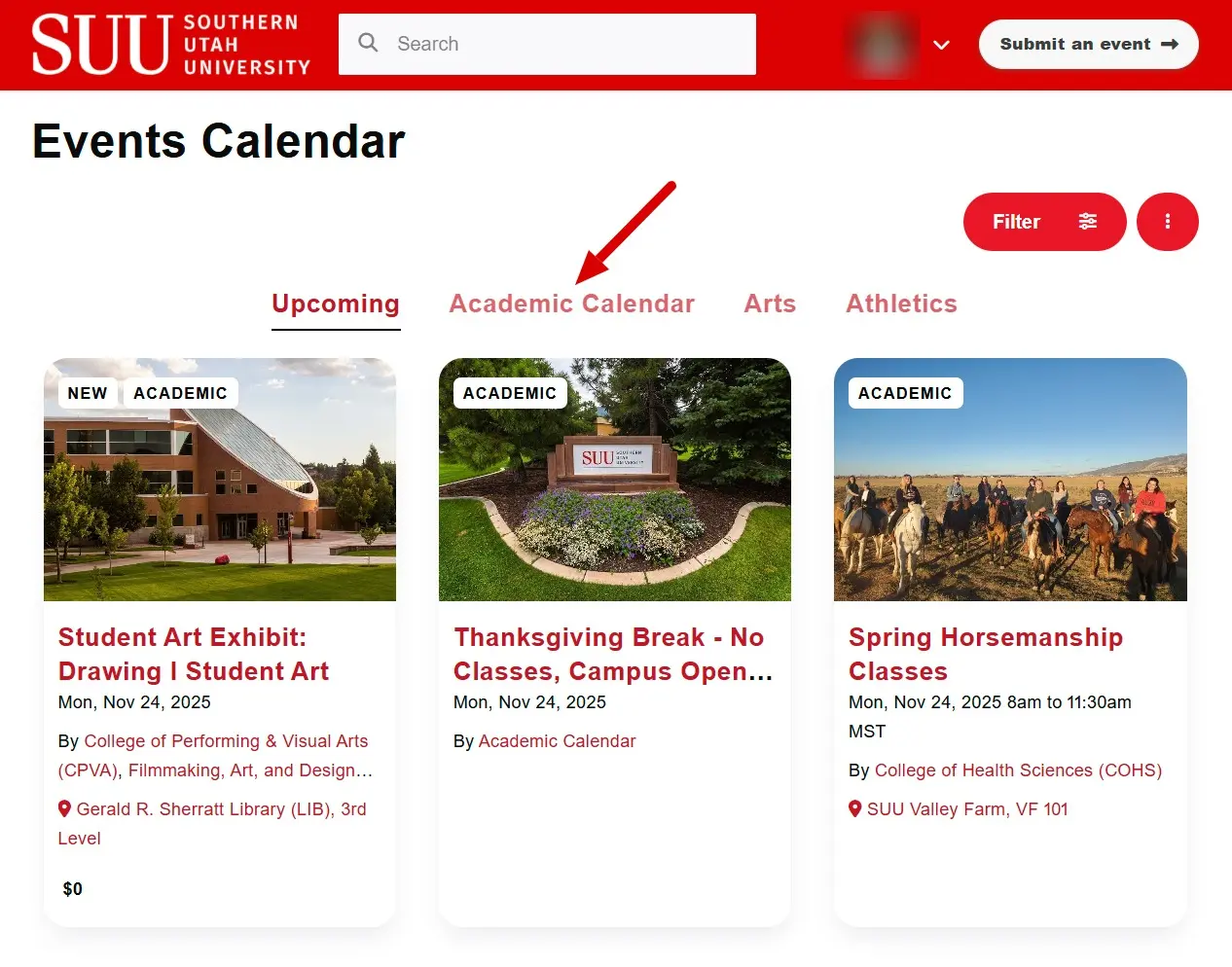
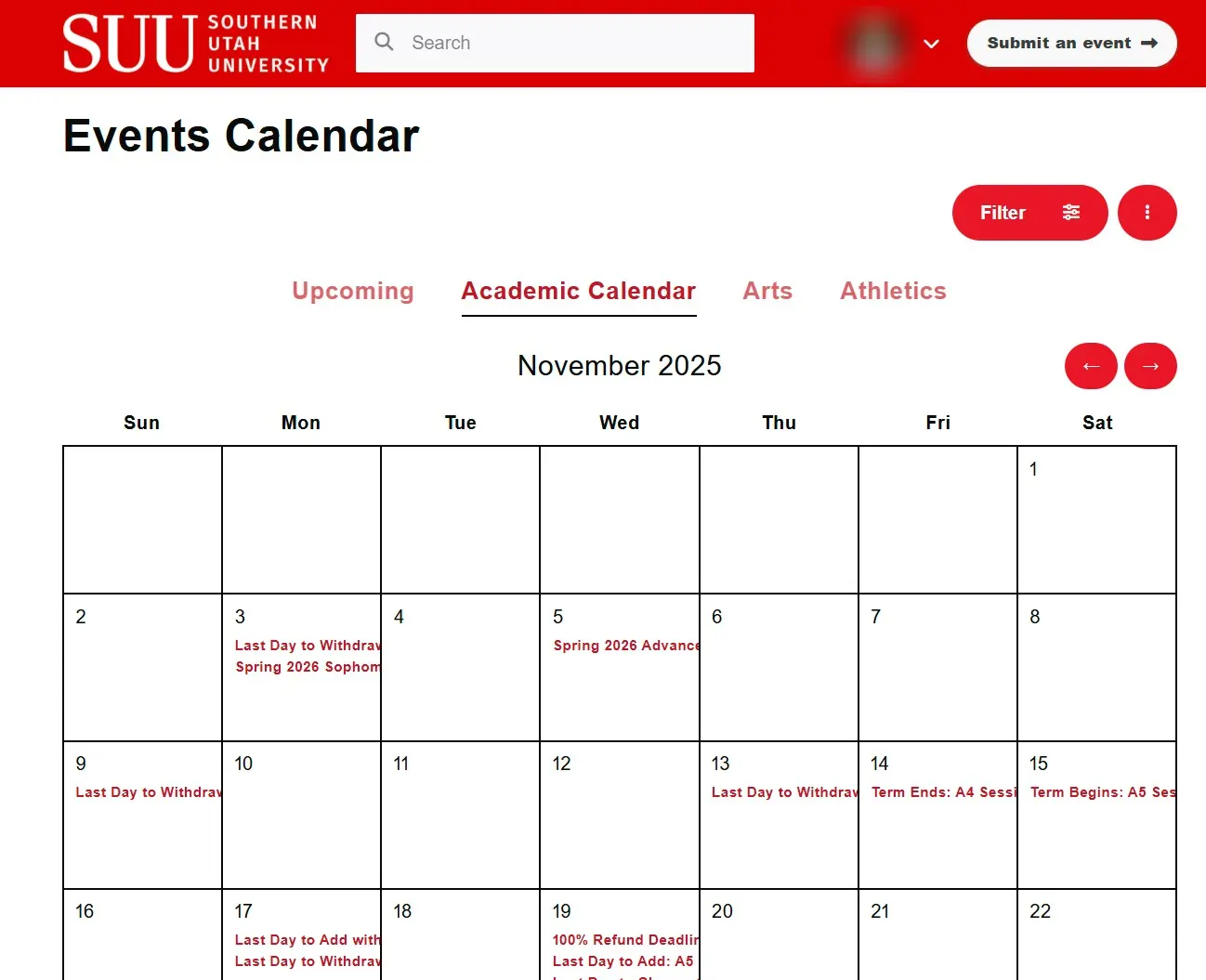
The Academic Calendar is posted in the SUU Events Calendar, powered by Localist. The events are integrated into the display of upcoming events, as well as fed directly into the Provost's website. There is also a convenient link to let users jump straight to a monthly view of only the Academic Calendar.
Follow the Calendar
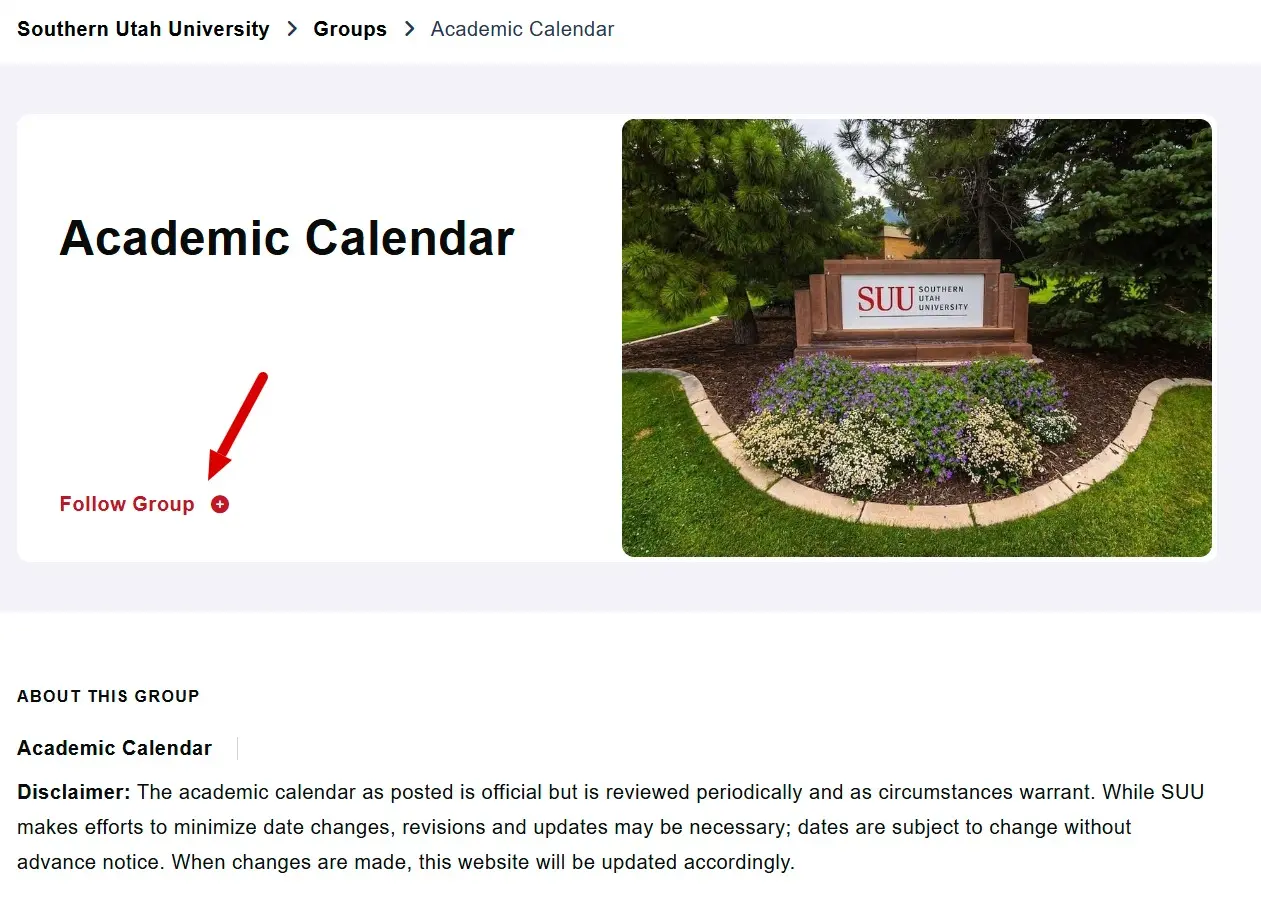
Current SUU Employees and Students can follow entire "groups" on the SUU Events Calendar. The Academic Calendar is considered a group and every single event that belongs to the Complete Academic calendar is filed into the group. By following the group, the user will get an email every Monday that contains links to all of the events coming up in the next week for the groups they are following. You must be signed in with your SUU username to use this feature.
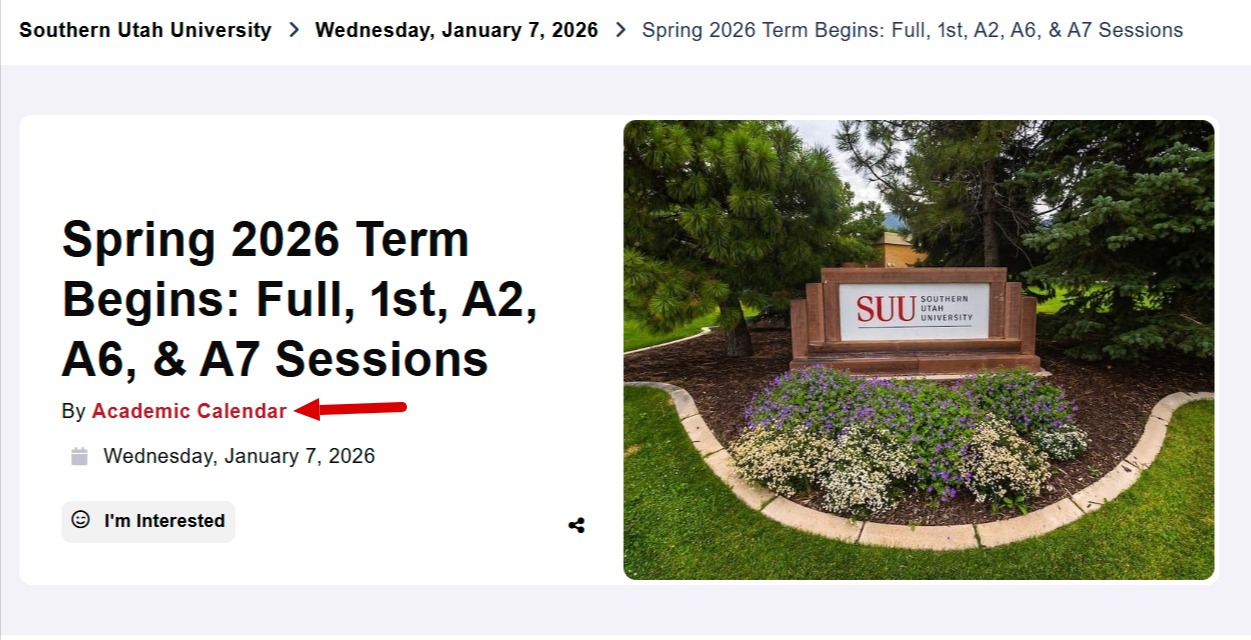
You can also find an event's group by looking for the "By" notation on the top of any calendar listing.
Subscribe to the Calendar
If you would like to see the academic calendar in your Google Calendar next to all of your other events, we have several options available for you. Each of these buttons are a one-click link to initiate adding the chosen calendar view to your own Google Calendar. You can add any or all of these options, toggling the view on/off from your calendar as fits your workflow best. Once it is added as a subscription in your account, you can go into the settings and adjust the name of the calendar to something that makes sense to you.
ex. "SUU - Academic Calendar" or "SUU - Campus Closures"
Standard Academic Calendar
This is the more traditional university calendar with the standard session, a first/second session, and holidays.
Aviation Academic Calendar
Aviation students take classes in both the aviation terms and the "regular" terms. This button provides a one-click link to ensure those that need all of the aviation terms can get it in one subscription.
Complete Academic Calendar
This is the same as following the Academic Group on Localist, except displays every single one of those events on your Google Calendar instead of the weekly email updates.
No Classes
For those who want to follow along with just the days when we do not hold classes, this is the subscription to use. Many campus closures are in here, but some fall between terms and do not get reflected in this filter.
Campus Closures
For those who just need the days where campus is closed, this is the subscription to use. This one may be useful in combination with No Classes to catch the in-between term closures.